
Easy access. Easy publishing.
Open cosy-vip in the browser on your phone, tablet or computer. Update your offer wherever your working day takes you.
Your own photo, a short offer and a few clicks: cosy-vip gives your daily offers a professional presence on your displays. Straight from your phone or computer. Templates take care of the layout for screens, colour e-paper and LED walls.
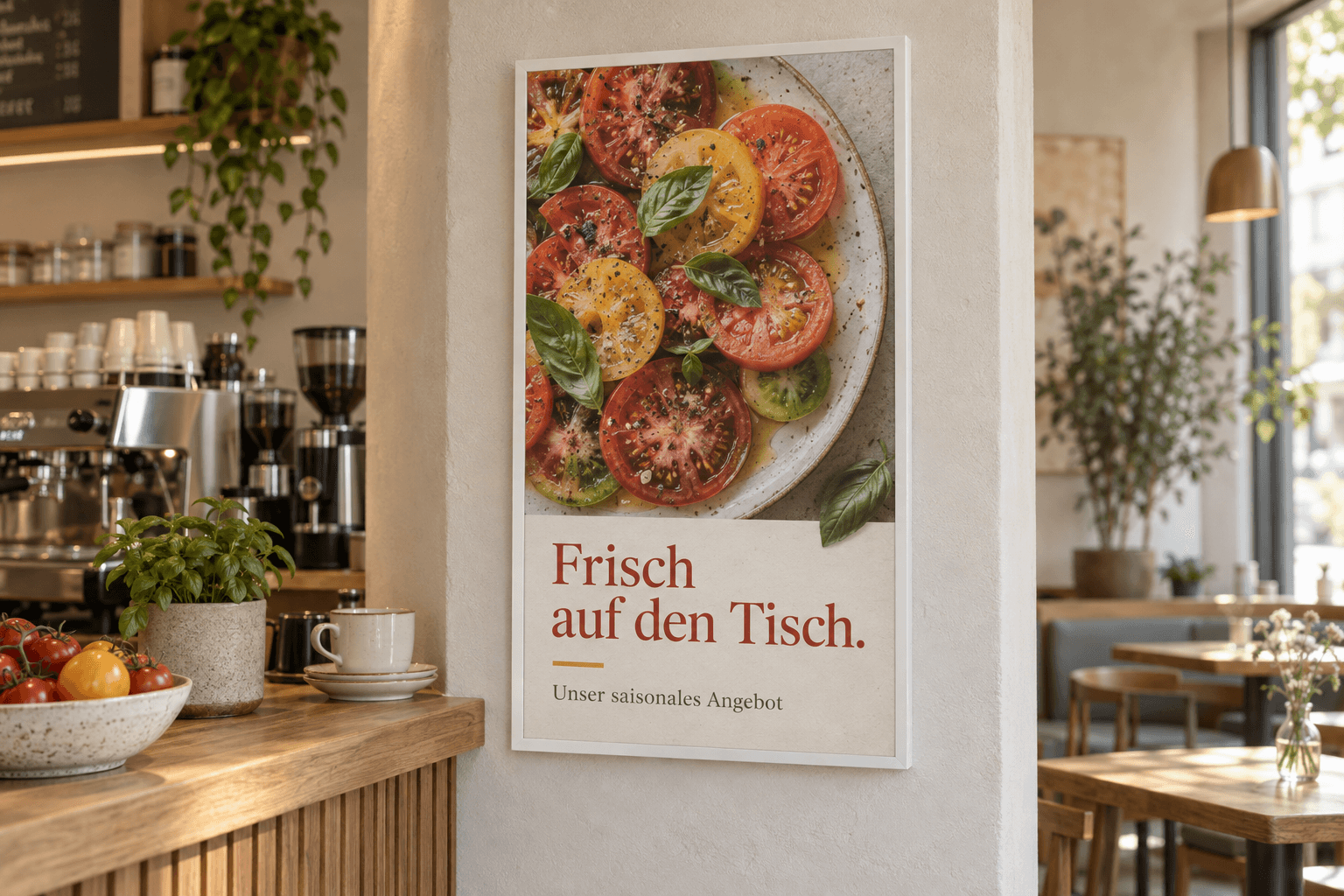
Getting a display is straightforward. Keeping it current day to day is the real task. When an offer is only valid today, there is little time for elaborate advertising design. cosy-vip makes the journey from your own photo to a finished display simple.
Open cosy-vip in the browser on your phone, tablet or computer. Update your offer wherever your working day takes you.
Set when a notice should appear and disappear. Prepare offers and events ahead of time.
Use your own product photos and add a short text. Templates with your colours and logo bring both together in a professional layout.
Group all the screens in your foyer, for example. Publish content to the whole group while retaining control of individual displays.
See how it works on your phone. Your own photo, a short text and a preview: see exactly what customers will see on your display.
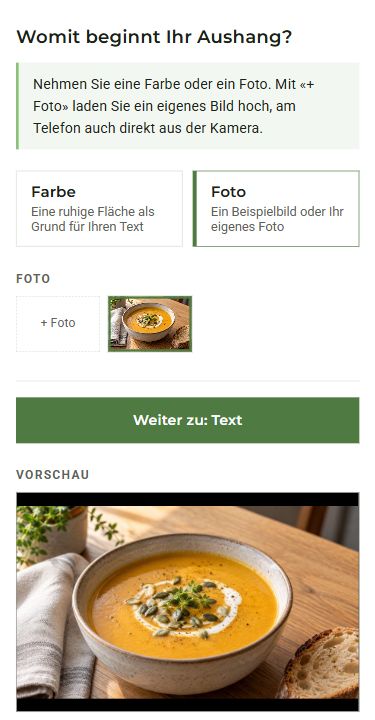
Your daily dish, a new product or your work: upload a photo straight from your phone. See it in your notice’s preview.
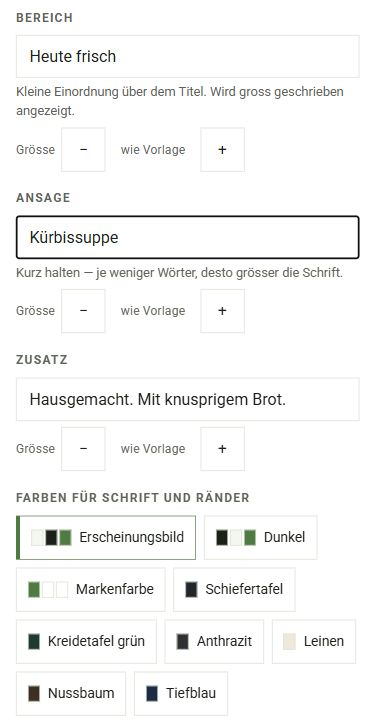
Choose a suitable template, add your offer and a short line of detail. Adjust text and colours if needed — the layout is already there.
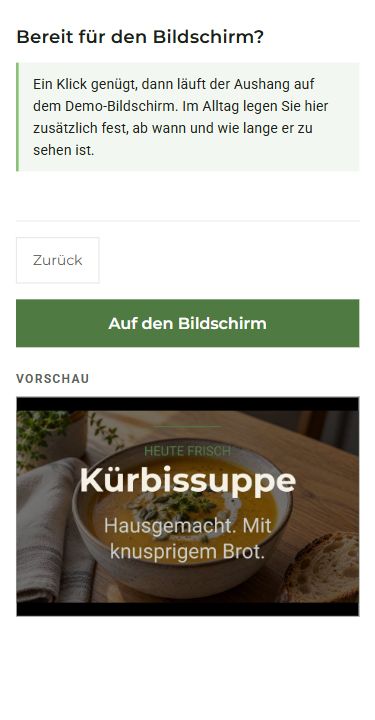
Check the result and publish your offer. In regular use, select your displays or groups and schedule when the offer starts and ends.
Original screenshots of the German mobile cosy-connect demo with sample content. The demo guides you through three simplified steps; regular use also includes display selection and scheduling.
You can also use finished images and PDFs, plus videos on screens and LED walls.
Product images, seasonal offers and menus can be shown on colour e-ink with a paper-like appearance. The display uses ambient light without emitting its own. cosy-vip supplies the content; e-paper is one of the presentation media you can choose.
See your images on a Samsung 32-inch Color E-Paper and assess colour and readability on the actual device.
Try it with your content ↗For photos, videos and changing information at reception, at the counter or in a shop window. Reuse suitable existing HDMI screens with a player.
For still images, offers and plans with a paper-like appearance. E-ink needs ambient light and time to refresh. We select a different display medium for video.
cosy-vip can also deliver content to LED walls. We match content, resolution and control to your wall for large-format communication at your site.
Application visualisation. Display, equipment and integration are agreed in your quotation.
Show several offers in sequence and choose how long each stays visible. Menus, events and news can share one display.
Add areas for time, weather, news or events from your calendar on conventional screens. We set up the information you need with you.
Use templates for menus, opening hours and events with your colours and logo.
Review current and scheduled content in the preview. Know what is planned for your displays, even when you are away.
Dynamic displays are intended for conventional screens. Colour e-paper shows still content, images and QR codes.
An offer that catches the eye. Information that answers questions. Discover how a display can become a useful part of your business.
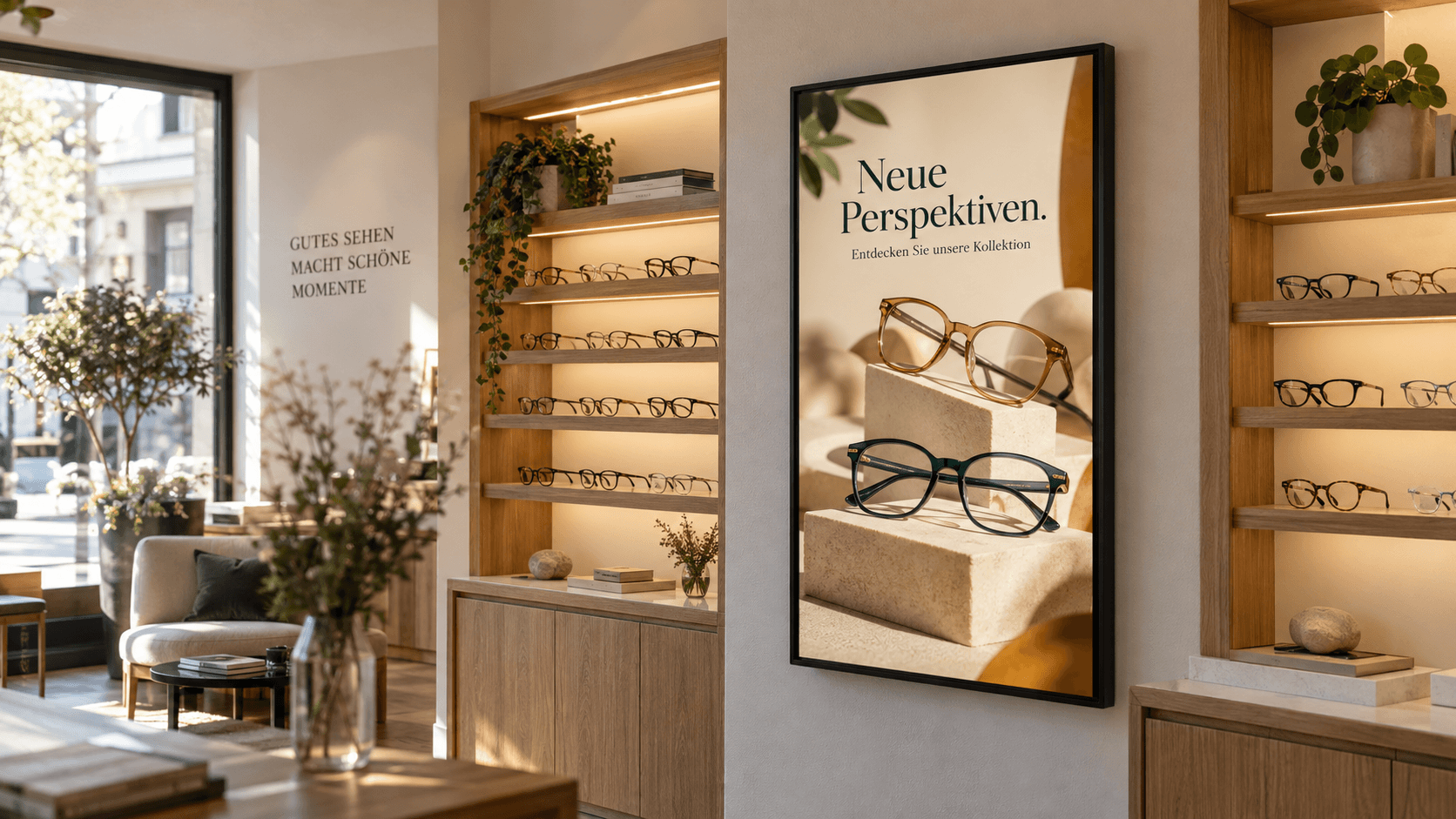 Visualisation
From eyewear at an optician to jewellery in a display case: present your products with striking images and schedule seasonal promotions in advance.
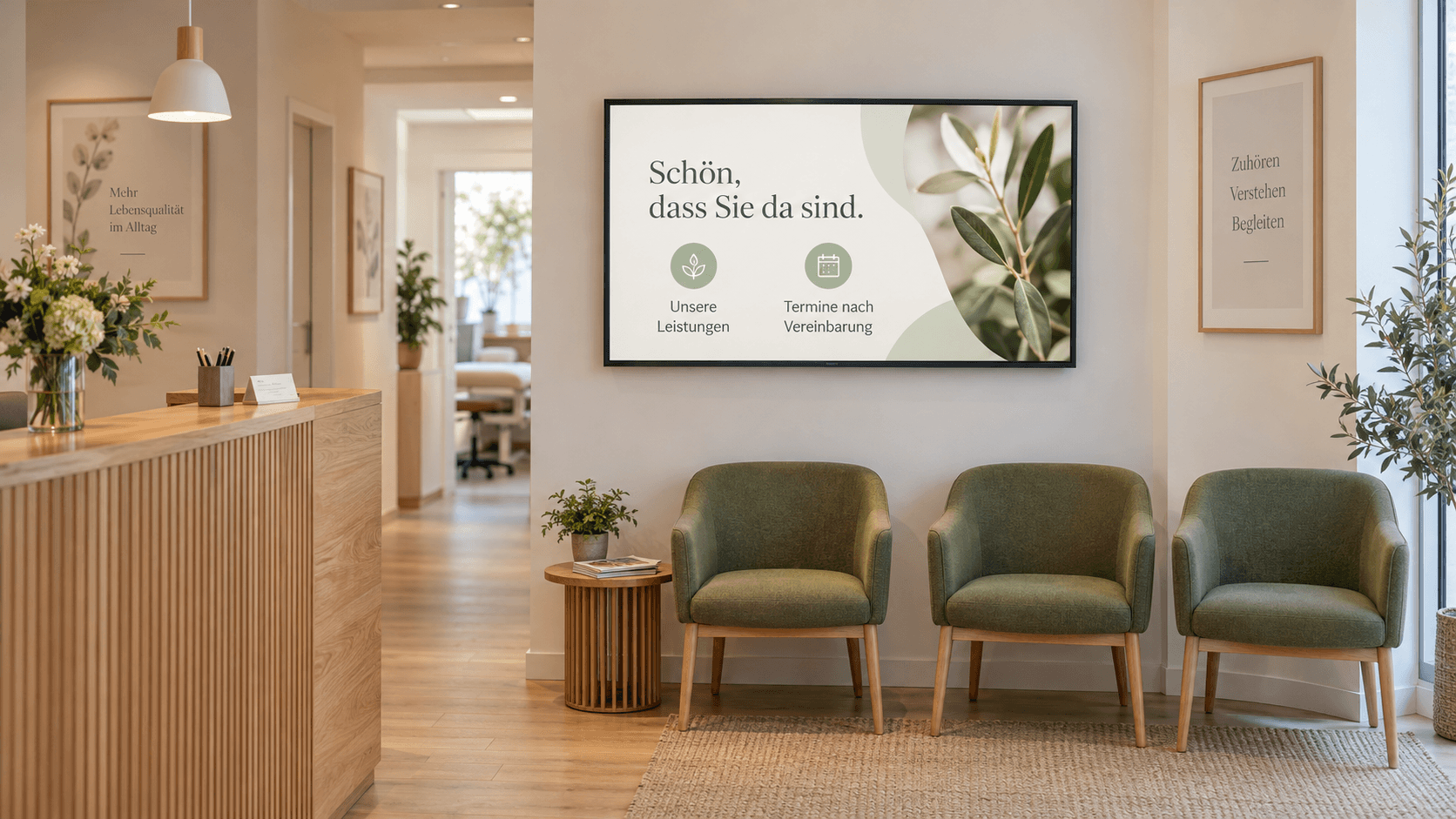 Visualisation
In a hearing-care shop or a medical practice: introduce your services, explain what to expect and highlight consultations, right in the waiting area.
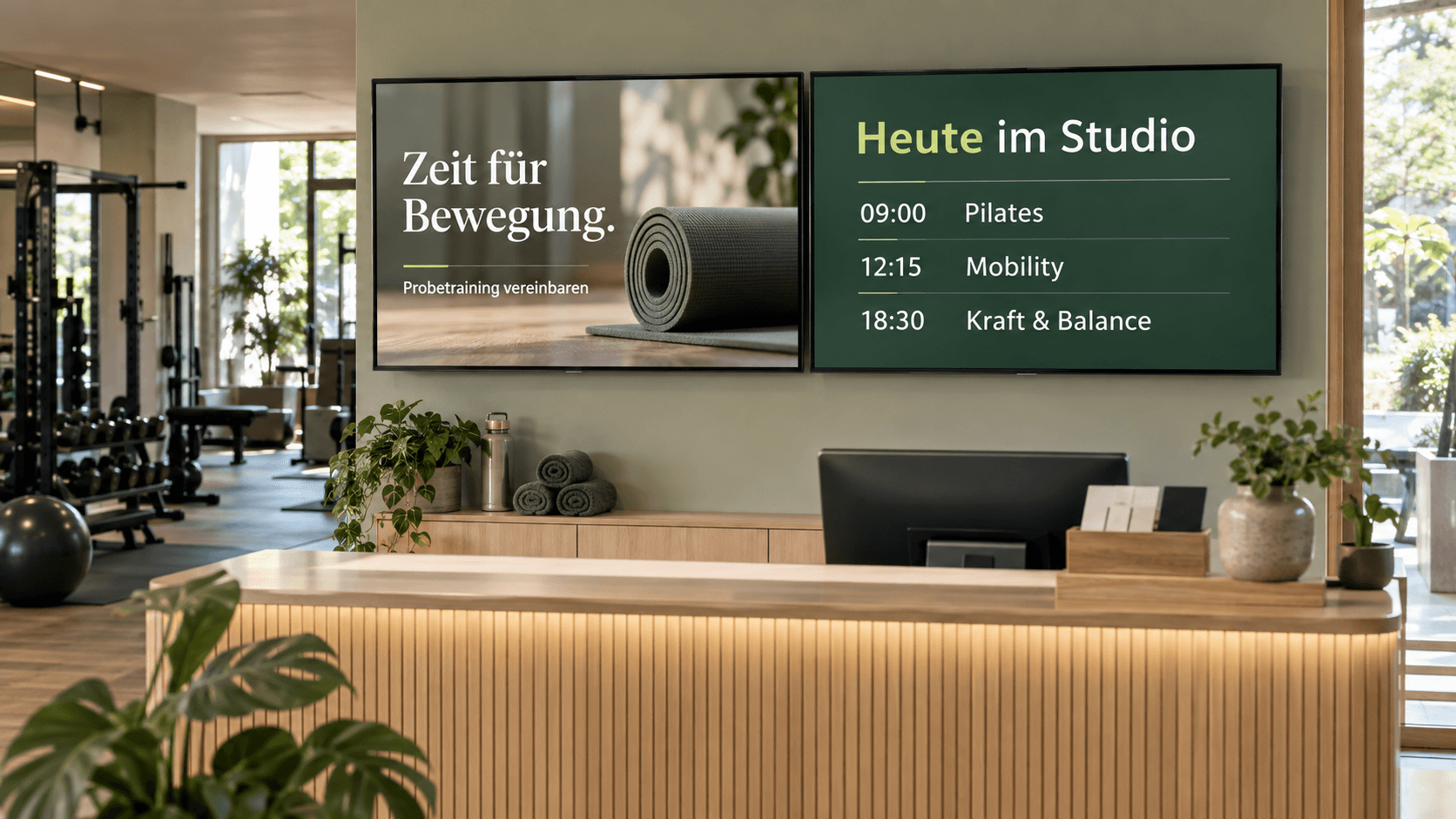 Visualisation
Announce classes, trial sessions and events at your fitness studio. Manage displays at reception and on the gym floor centrally and organise them into groups.
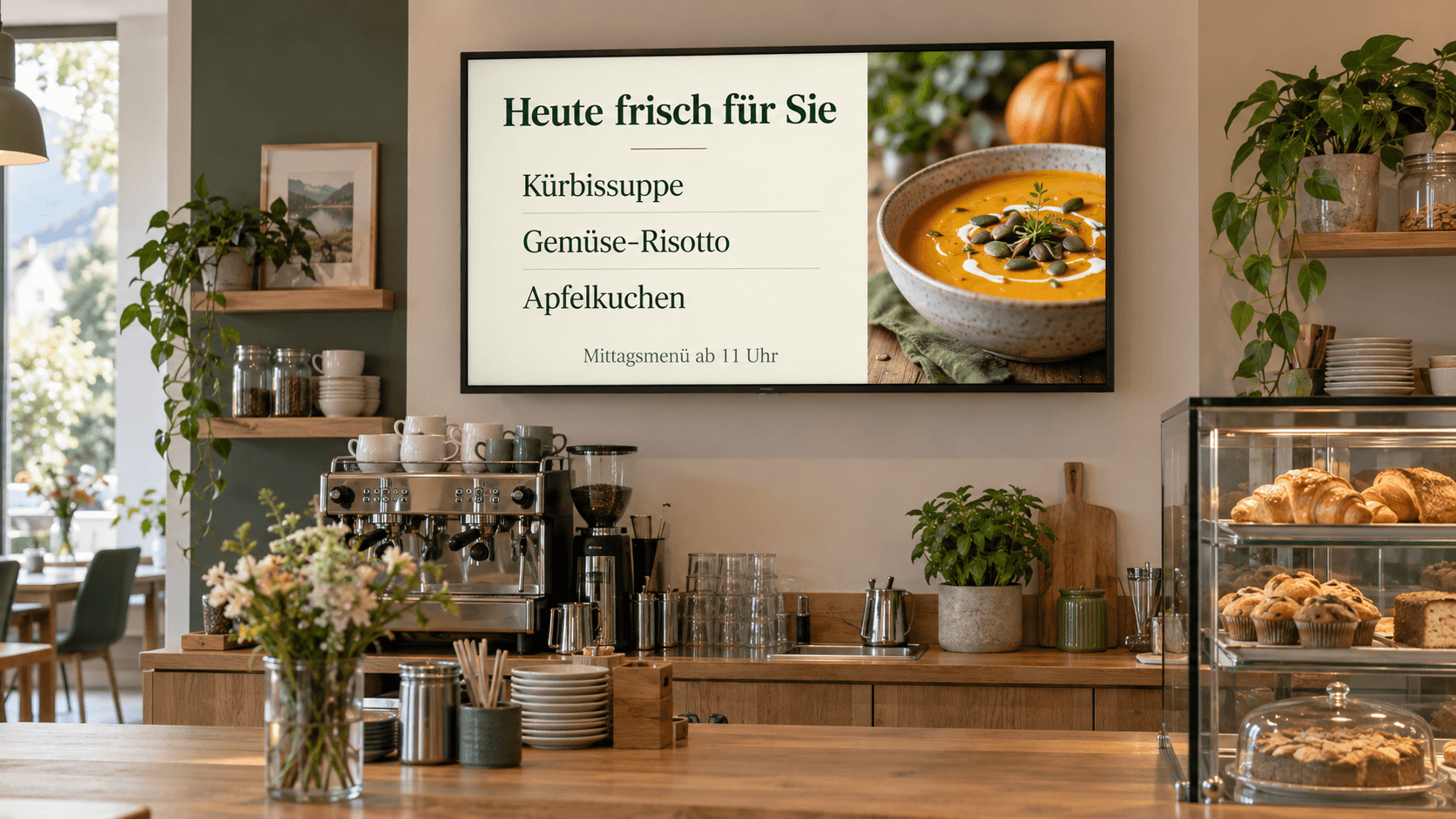 Visualisation
Breakfast in the morning, the daily menu from eleven: schedule offers to change at the right time in your café, restaurant or bakery. Make adjustments easily from your phone.
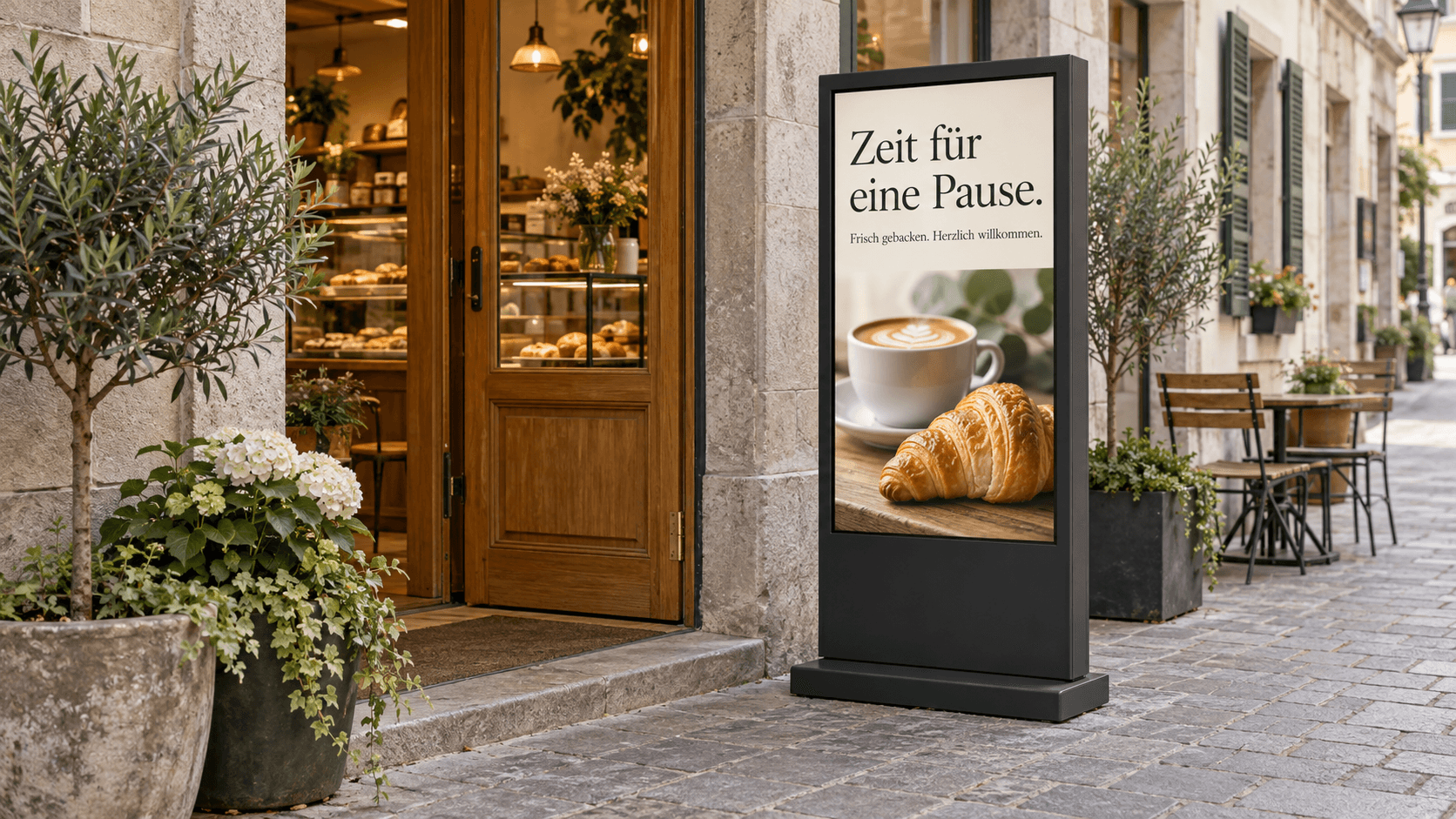 Visualisation
Show fresh offers, promotions or events outside your entrance. For outdoor use, we select a suitable display and match brightness, weather protection and placement to the location.
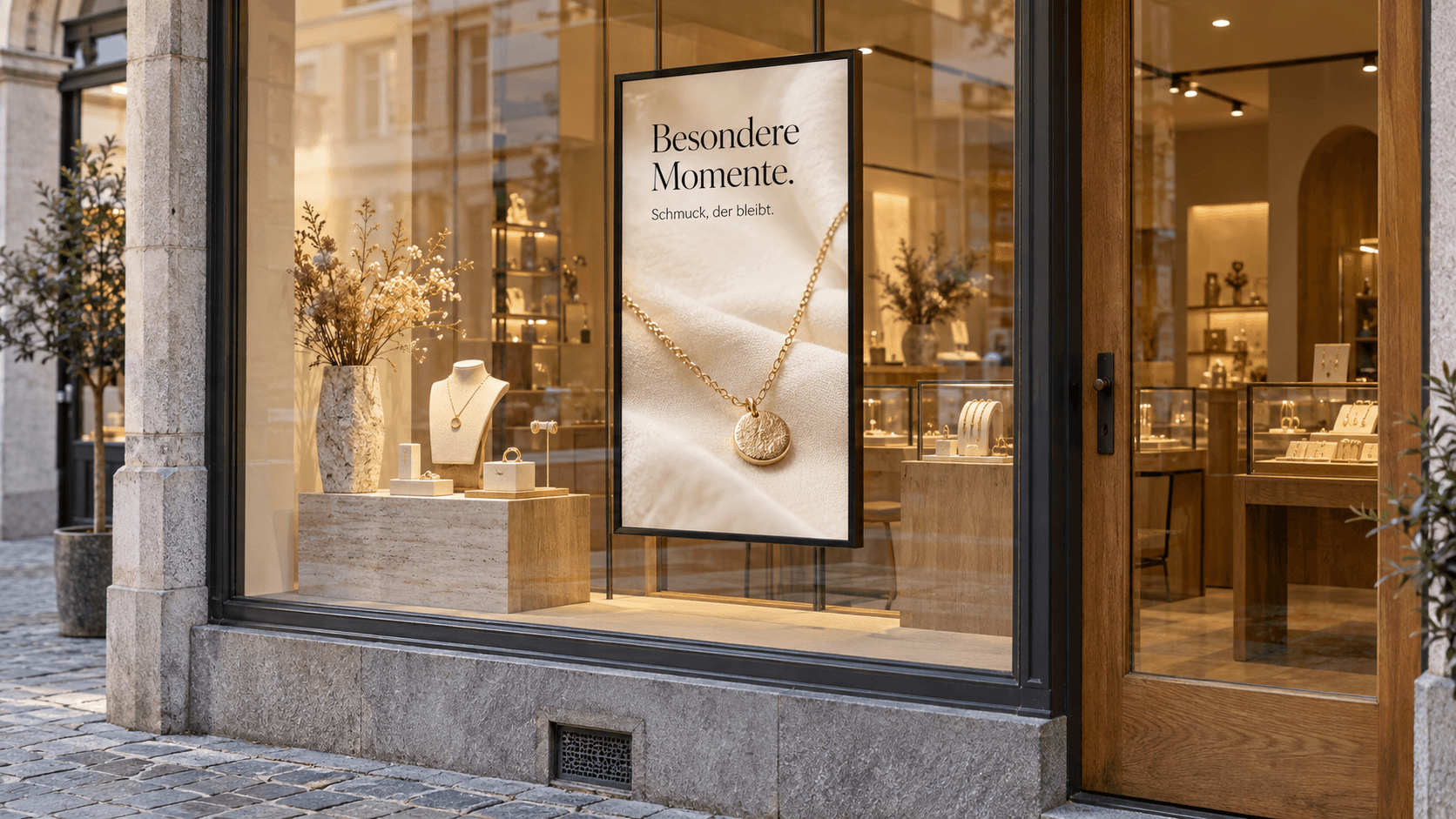 Visualisation
A piece of jewellery, a new collection or a seasonal promotion: show passers-by what they can discover inside. We select a display behind the glass with readability suited to your shop window.
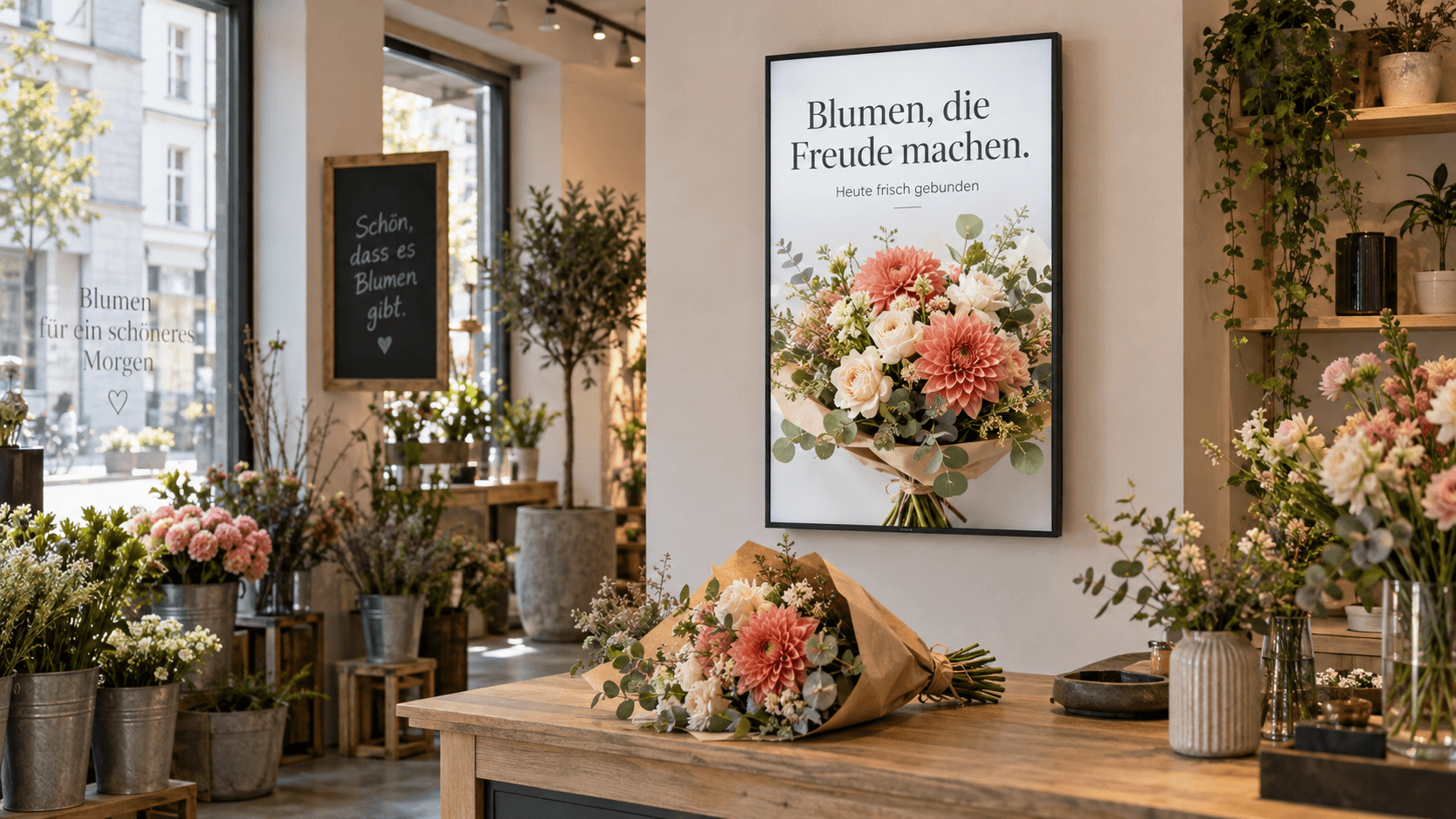 Visualisation
Show customers what is looking its best today. Turn a photo of your seasonal bouquet into an offer in a few clicks, for a display in your flower shop or window.
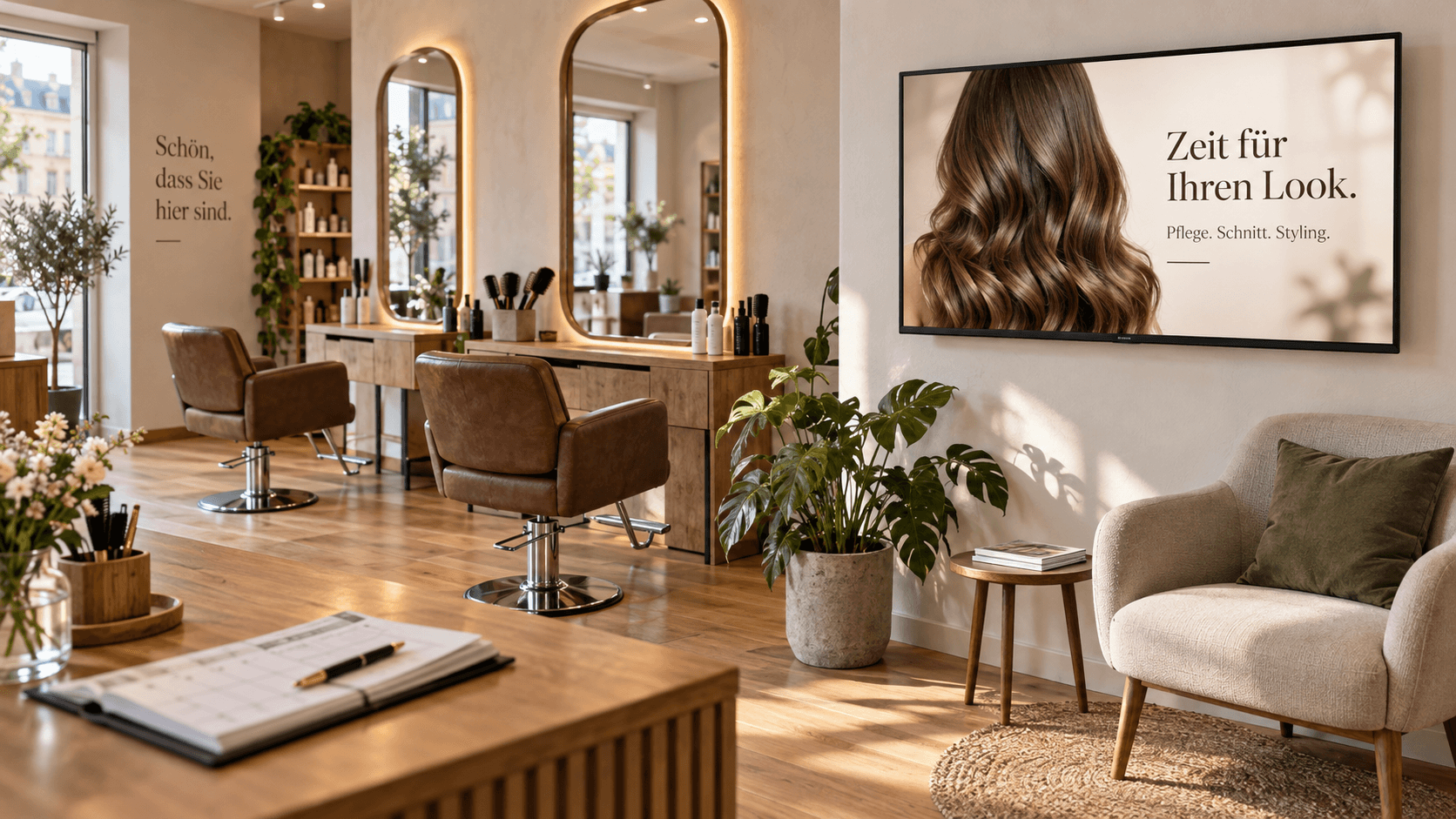 Visualisation
In a hair or beauty salon, share your work, care tips and seasonal offers. Your own images show your style while customers settle into the waiting area.
 Visualisation
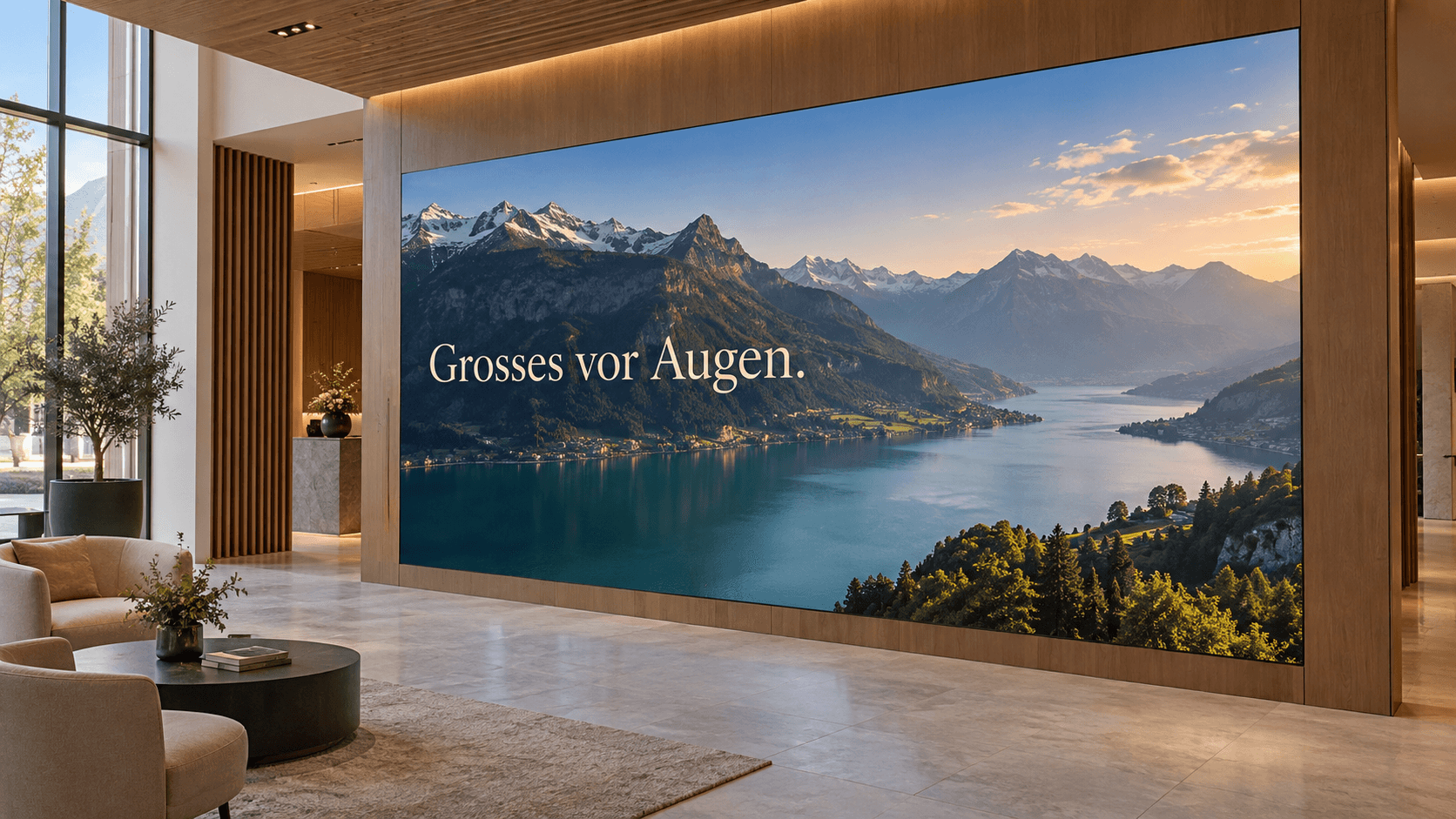
Images and videos become a focal point on an LED wall in your showroom, foyer or event space. Manage and schedule content centrally with cosy-vip, just as you do for your other displays. We match the size and presentation to the room.
Illustrative visualisations. We tailor the content, design and displays to your business.
Discuss your idea with us ↗Prepare hymn numbers and verses digitally and display them on a paper-like eInk board.
A suitable HDMI screen can be reused with a cosy-vip player. We check your equipment and set up the solution for your site.
If you need a new screen, we help with selection, delivery and installation.
Screens and installation ↗You choose how much content work to handle yourself. Your quotation sets out the scope of service.
You create and schedule content. We set up the equipment and support its operation.
You maintain your content. We help with templates, an introduction and agreed reviews.
You provide information, images and dates. We handle the agreed design and scheduling.
Your quotation includes the required controller, setup and software subscription. Screens, e-paper or LED walls, installation and support are tailored to your needs.
Request a tailored quotation ↗Use cosy-vip in your phone, tablet or computer browser. No additional app is required.
An HDMI input is the starting point. We check suitability for the intended use. A player and setup are also required.
Managing and transferring new content requires internet. Previously transferred content is stored locally.
Yes. Publish content to selected screens. Your quotation accounts for the required players and licences.
Bring an idea, an image or an existing menu. We demonstrate the display and controls, check your equipment and prepare a tailored quotation.
Prefer to speak directly?
+41 52 511 05 35